LLS Night Lite guide: spawn-proof lamps, safe anchors and keeping chunks loaded on Bedrock
How LLS Night Lite's lamps stop mob spawns without a torch grid, how safe anchors keep a farm loaded and ticking while you're away, and how to plan around Bedrock's ten ticking-area limit.
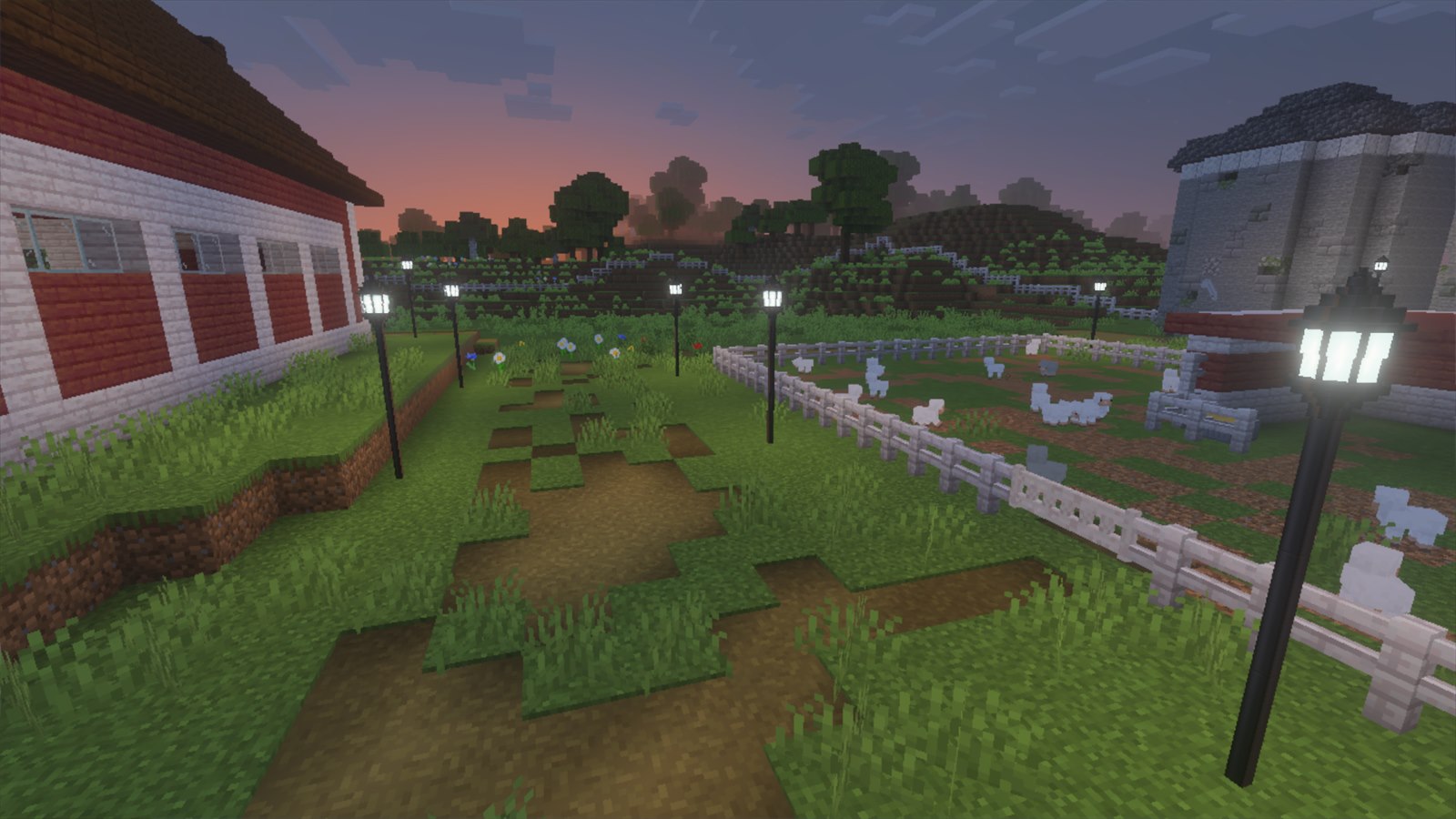
Night Lite does two jobs that vanilla Bedrock makes awkward. Its lamps stop mobs spawning around them, whatever the light level, so you can light a build for looks instead of on a seven-block grid. Its safe anchors keep chunks loaded and ticking while you’re somewhere else, so crops keep growing and hoppers keep moving.
This guide covers the recipes, how big each zone is, how the anchors share Bedrock’s limited chunk-loading slots, and what an anchor can and can’t keep running. It’s written against version 1.5.2. Night Lite is also built into the Farm Sim Pack; use one or the other in a world, not both.
Recipes
| Block | Recipe | Makes |
|---|---|---|
| Victorian Lamp | Shaped, 5 iron ingots: one in the top middle; iron, glowstone, iron in the middle row; iron, black dye, iron on the bottom | 1 |
| Victorian Lamp (Plain) | The same shape with iron nuggets in place of ingots | 1 |
| Lamp Post | Three iron ingots in a vertical line | 4 |
| Safe Anchor | 1 dirt, shapeless | 1 |
| Large Safe Anchor | 4 dirt, shapeless | 1 |
| Zone Viewer | 1 stick, shapeless | 1 |
The plain lamp is the cheap one: nuggets instead of ingots, same light and same ward. Both lamps give off light level 15, the brightest a block can be.
Lamps: spawn-proofing without a torch grid
Vanilla stops hostile mobs by keeping the light level up, which means a torch every few blocks whether it looks right or not. A Night Lite lamp works differently: any mob that spawns naturally inside its ward is removed the instant it appears. The light level doesn’t matter, so a dim, moody street is as safe as a floodlit one.
One lamp head is one ward. The ward is a box reaching 32 blocks out each way, 32 up and 32 down from the head. Stack lamp posts under a head to make it as tall as you like; the posts don’t ward anything, the head does.
Lamps never take a chunk-loading slot and other packs don’t treat them as farm zones, so you can blanket a whole town in them without any cost. Your vanilla torches, lanterns and glowstone are left alone: they light things up the way they always have, and they don’t ward anything.
What gets removed, and what doesn’t
Inside a ward or an anchor’s zone:
- Removed: hostile mobs from natural spawning, and wild animals from natural spawning. A pasture stays exactly the herd you put there.
- Never touched: animals that are bred, mobs from spawn eggs, thrown eggs or mob buckets, armour stands, and anything already there when the chunk loads.
So the only new animals inside a zone are the ones you deliberately put there.
Safe anchors: keeping your base running
When you walk away from a base, Bedrock stops updating it once it’s outside your simulation distance. Crops stop growing, furnaces stop smelting and redstone freezes until you come back. A ticking area tells Bedrock to keep updating a patch of the world even with nobody there. A safe anchor creates and manages one for you, with no commands.
| Anchor | Loaded radius | Roughly |
|---|---|---|
| Safe Anchor | 2 chunks | 80 blocks across |
| Large Safe Anchor | 4 chunks, the engine’s maximum | 144 blocks across |
Each anchor also spawn-proofs its whole loaded area, the same way a lamp does. The protected area is always the same size as the area it keeps loaded.
The ten-slot limit
Bedrock allows ten ticking areas per world, and that cap belongs to the game, not the pack. Night Lite spends those slots carefully:
- An anchor placed inside another anchor’s loaded area shares it and doesn’t use a slot of its own.
- Past ten, a new anchor still spawn-proofs; it just doesn’t keep chunks loaded.
- When you break an anchor that held a slot, a waiting anchor is promoted into it on its own.
Plan for it: put a Large Safe Anchor in the middle of each base or farm rather than scattering small ones. One large anchor covers about 144 blocks across for a single slot. Small anchors are for outposts: a mine entrance, a villager hall, a portal.
What an anchor can’t keep running
Mob farms. Bedrock only rolls natural hostile spawns around players who are online, not around loaded chunks, so no add-on can keep an AFK mob farm spawning while you’re away. An anchor keeps crops, hoppers, furnaces, redstone and animals going; mob spawns need you there. Older versions had an “Active Anchor” for this. It was removed in 1.2.0 because it couldn’t actually work, and any still placed in a world just sit there doing nothing.
Seeing your zones
- Right-click any lamp or anchor to turn particle borders on or off for every zone nearby: green for lamps, red for anchors.
- A newly placed lamp or anchor flashes its border for 20 seconds, so you can see what it covers straight away.
- The Zone Viewer does the same from anywhere. Sneak + use it for a readout of your anchors, your lamps, and how many of the ten slots are in use.
The border is drawn as a square because the protection check is a square, so what you see is exactly what’s covered.
With the Farm Sim Pack
Night Lite comes inside the Farm Sim Pack, and the farm uses it. A safe anchor dropped in a field or a pen marks it as a farm zone, so feed troughs and the other farm systems inside keep working while you’re away. Lamps deliberately don’t count as farm zones, so a street light in town never turns a road into a farm.
Troubleshooting
- Mobs still spawning near a torch-lit area: torches don’t ward anything. Only the Night Lite lamps and anchors do.
- My farm stopped while I was away: check the slot count with the Zone Viewer (sneak + use). If all ten are in use, the anchor there may be waiting for a slot. Merge small anchors into one large one to free some up.
- An animal I spawned vanished: Night Lite only spares the spawns it can tell were on purpose: breeding, spawn eggs, thrown eggs and mob buckets. Anything else that turns up as a fresh spawn inside a zone is treated as wild. Use a spawn egg, or breed it inside the zone.
- The lamp shows as a purple-and-black cube: the resource pack isn’t on in that world. See how to install Bedrock add-ons.
The mods


More guides
- How to install Minecraft Bedrock add-ons (.mcaddon and .mcpack) on Windows, Android and iOS Step by step: import a .mcaddon or .mcpack file on PC, phone or iPad, switch it on in a world, add it to a Realm or server, and update it later without breaking your world.
- Bedrock add-on not working? Fixing update and version problems Import failed, invisible or purple mobs, a pack that does nothing after a Minecraft update, or two add-ons fighting. What each one means and how to fix it, including how to read the Content Log.
- LLS Missing Blocks guide: barn doors, double gates, slabs, the wooden bucket and every recipe Every block in LLS Missing Blocks 1.2.0 for Minecraft Bedrock: how to craft and place barn doors, lab doors and double-wide gates, garden and tall fences, path and grass slabs, lamps, the wooden bucket and the stool, with the full recipe list.